ONRADIAL · FLIGHT SIMULATION SOFTWARE

Software for the operations around every flight.

Independent tools that extend flight simulation beyond the flight deck.

Explore AftCall Documentation
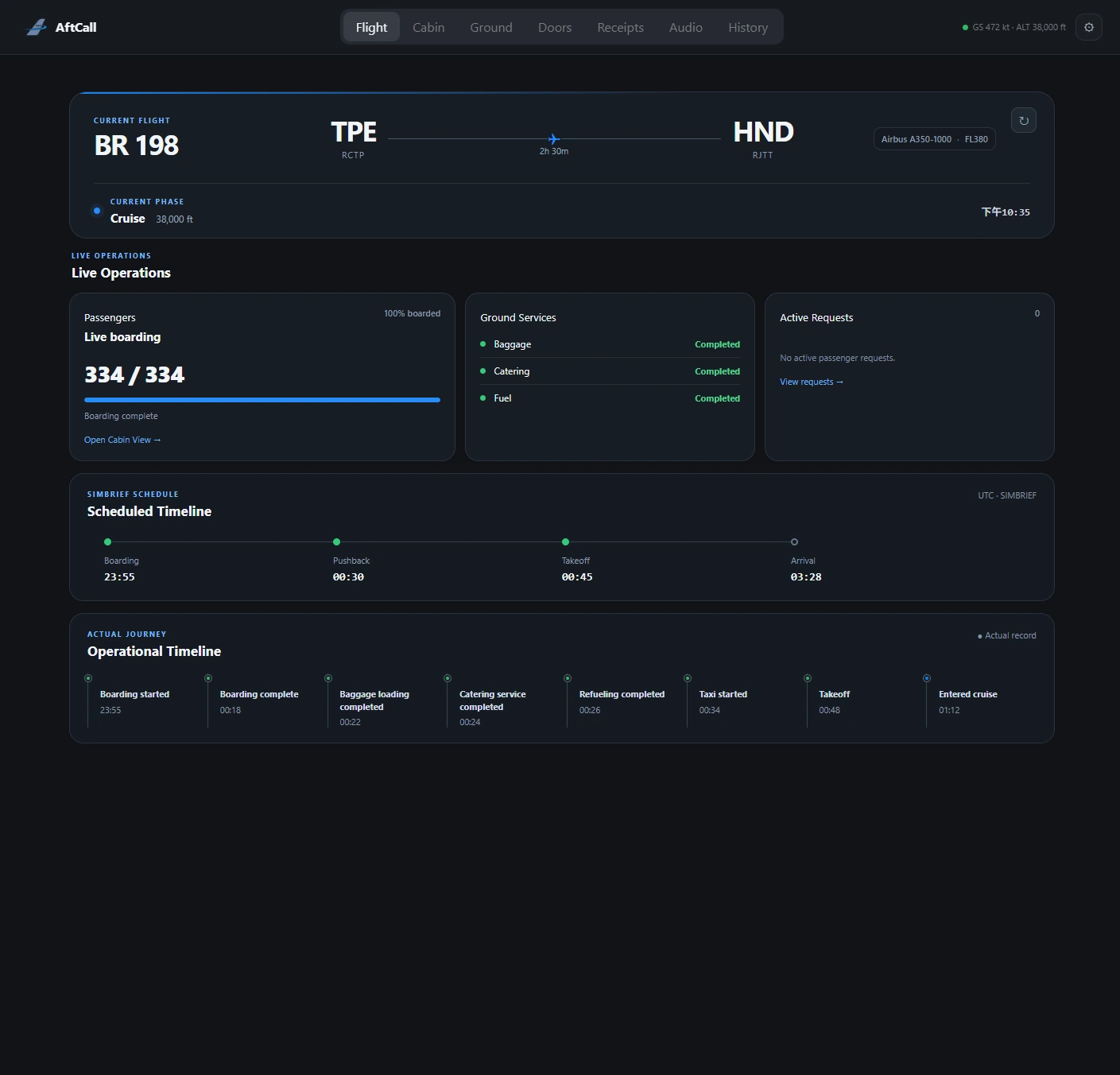
AftCall live flight operations dashboard for BR198 from Taipei to Tokyo.
CONNECTED SESSIONFlight · Cabin · Ground

ONE CONNECTED FLIGHT

From flight plan to flight record.

AftCall keeps each stage within one continuous operational session. What begins with the flight plan carries through boarding, cabin activity, arrival, and the record that remains.

  1. 01
    SIMBRIEFFlight plan
  2. 02
    BOARDINGPassengers onboard
  3. 03
    CABINLive cabin state
  4. 04
    SERVICECabin workflows
  5. 05
    GROUNDTurnaround activity
  6. 06
    ARRIVALFlight completion
  7. 07
    RECORDOperational history

AFTCALL CAPABILITIES

The operation beyond the flight deck.

01 / LIVE FLIGHT CONTEXT

Start with the flight that is actually underway.

Load the latest SimBrief plan, connect to MSFS 2024, and keep route, schedule, telemetry, flight phase, and boarding progress together.

02 / CABIN & PASSENGERS

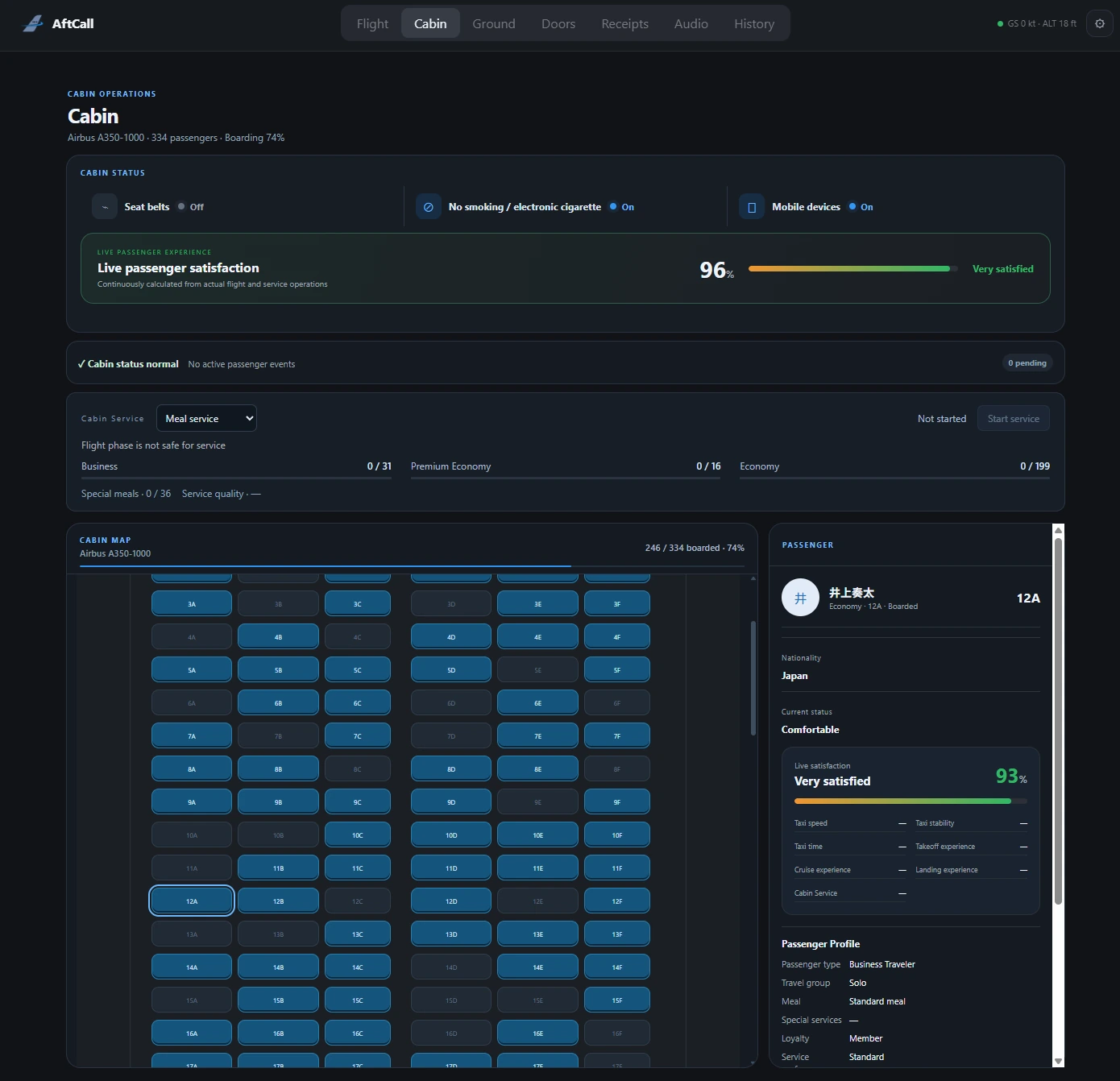
A cabin shaped by the people onboard.

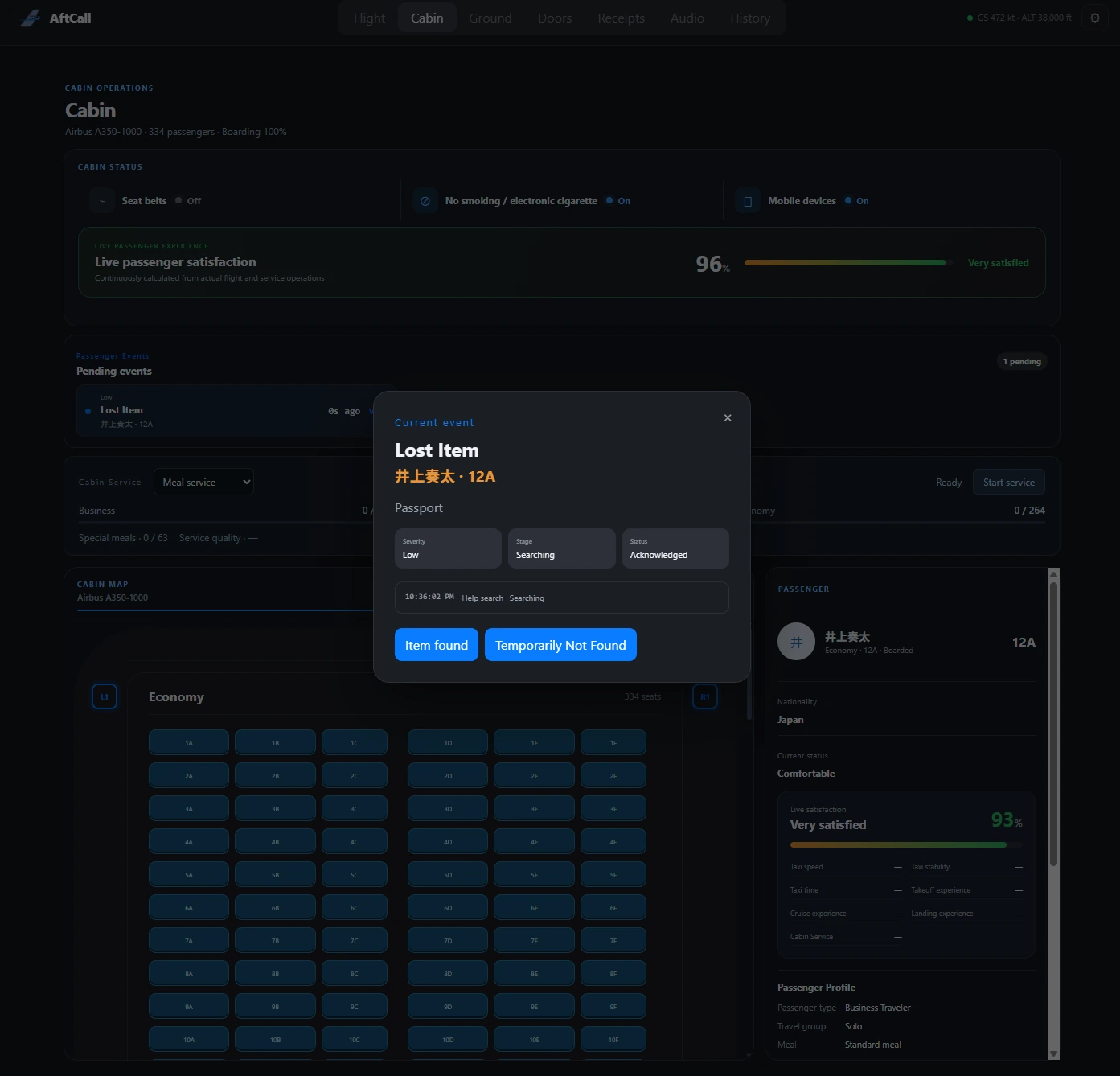
Follow a boarding-aware seat map and inspect simulated passenger profiles, travel groups, service preferences, special-service context, and satisfaction.

03 / PASSENGER EVENTS & SERVICE

Respond to the cabin as the flight evolves.

Handle phase-aware passenger requests and situations, then run structured meal, beverage, tray collection, and cabin-check workflows.

Cabin Service is presented conservatively while live-flight validation continues.
AftCall passenger event workflow for a lost item request during flight.
04 / AIRCRAFT & TURNAROUND

Keep aircraft-side activity in view.

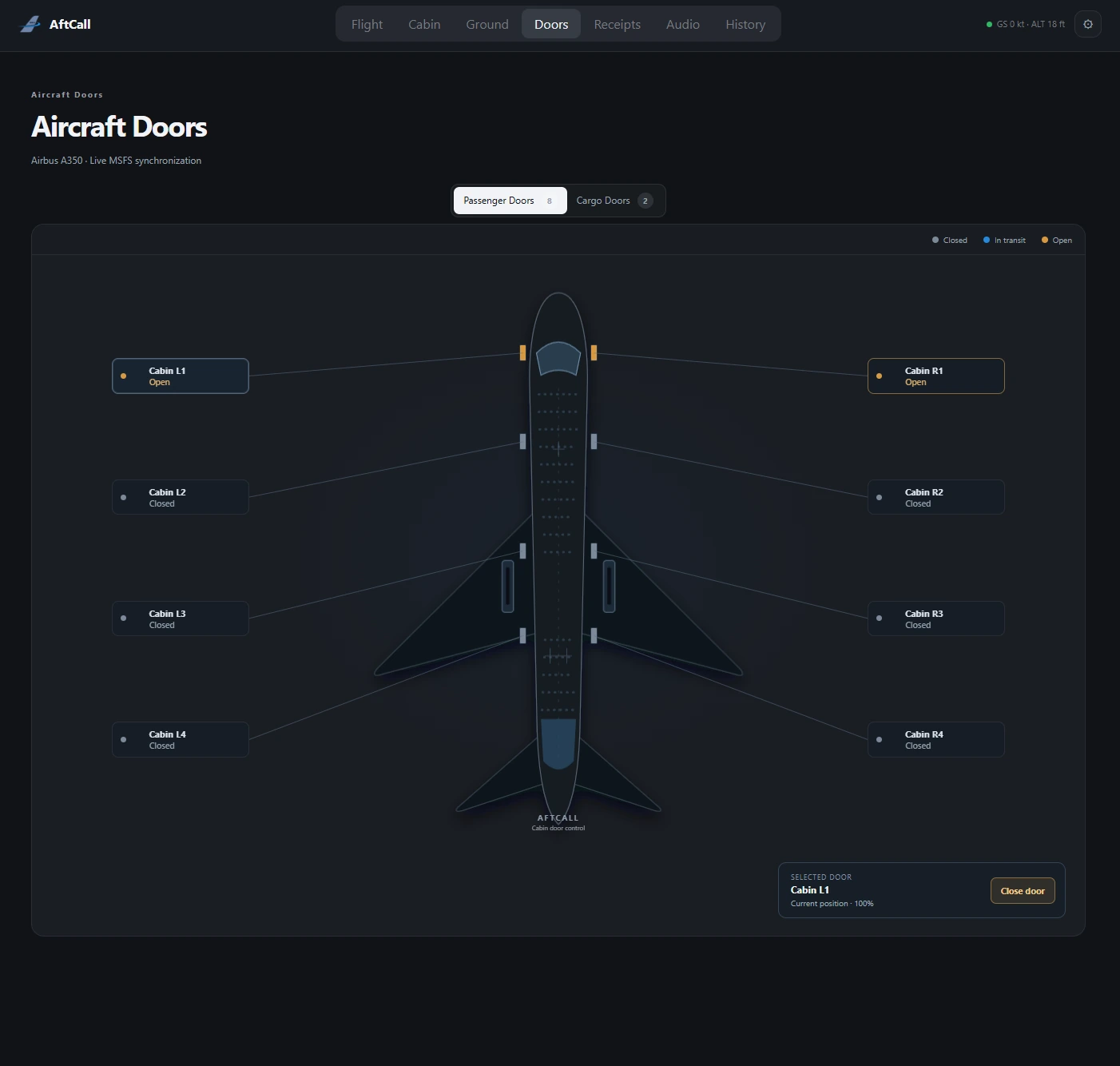
Monitor and control reported passenger and cargo doors on compatible aircraft, and work with supported GSX ground-service actions and live turnaround activity.

Available behavior depends on aircraft support. GSX Pro is required for GSX features.
AftCall aircraft door operations interface showing passenger door status.
05 / ANNOUNCEMENTS & RECORDS

Carry the operation through arrival.

Manage user-provided cabin audio, then retain local flight milestones, telemetry summaries, service results, and passenger-event history.

CONNECTED WITH YOUR SIMULATION

Built around a real MSFS workflow.

AftCall connects the plan, simulator, and optional ground-service layer without pretending every aircraft or add-on behaves the same way.

ONRADIALAftCallOPERATIONS LAYER
01
MSFS 2024

Microsoft Flight Simulator 2024

Live simulator context through the AftCall desktop application.

02
SIMCONNECT

SimConnect

The connection layer for live aircraft and flight data.

03
SIMBRIEF

SimBrief

Load the latest operational flight plan into an AftCall session.

04
GSX PRO

GSX Pro

Optional external add-on for AftCall’s GSX ground-service features.

Aircraft-specific functions depend on the data and controls exposed by each compatible aircraft. AftCall does not claim universal aircraft support or complete GSX automation.

A PRODUCT BY ONRADIAL

AftCall

Cabin Operations Console

Extend the flight into the cabin, across the turnaround, and into the operational record.

DownloadRead the docs
Public distribution details are being prepared. No download artifact is offered on this prototype page.