Route and schedule context
A PRODUCT BY ONRADIAL
AftCall
Cabin Operations Console
AftCall extends a simulated flight beyond the flight deck—bringing cabin state, generated passengers, service workflows, supported ground operations, and the resulting operational record into one connected session.
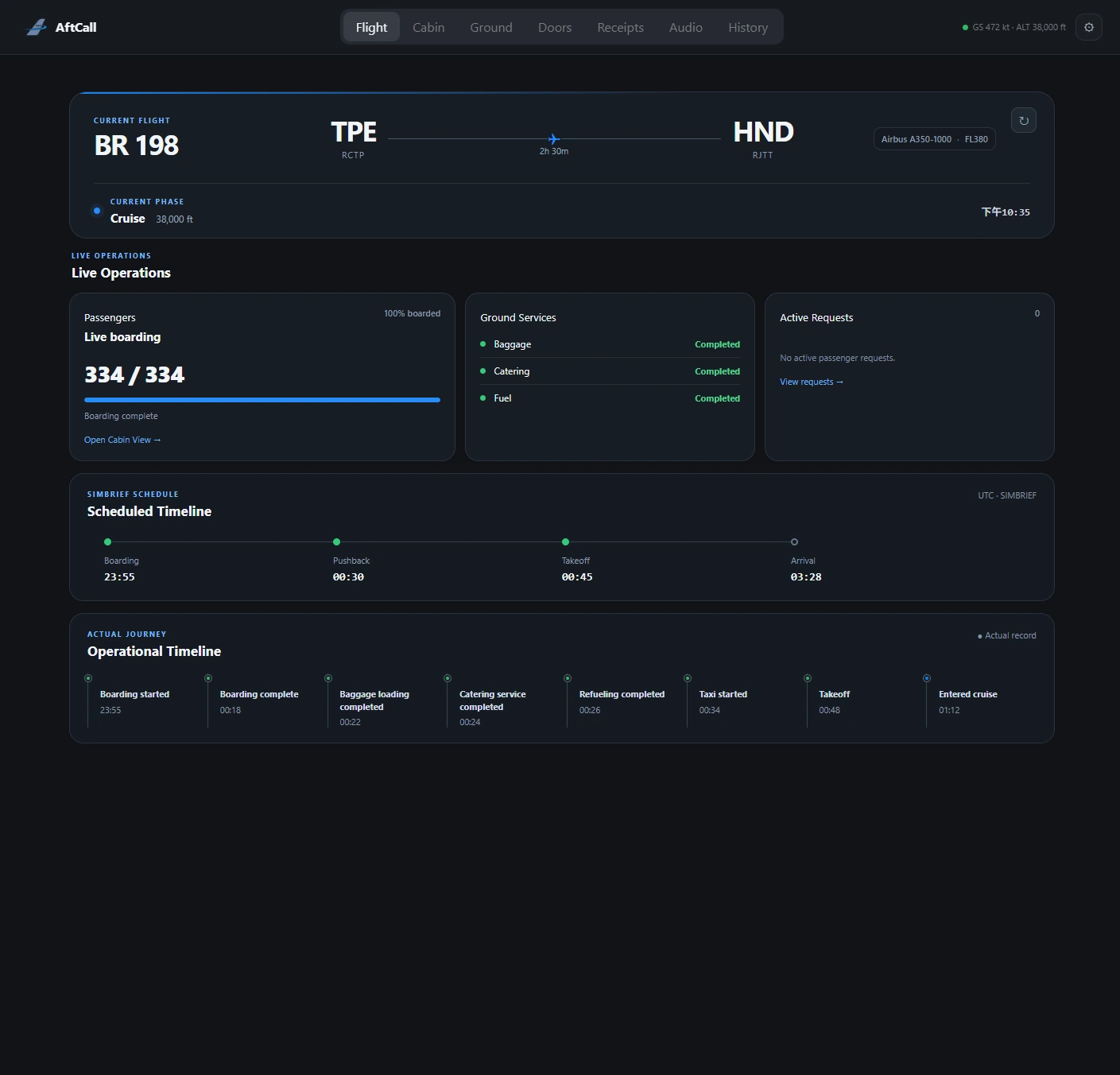
LIVE FLIGHT CONTEXTMSFS · Cabin · Ground
ONE OPERATIONAL SESSION
The operation around the flight.
AftCall connects eight operational areas without replacing aircraft systems or flight-planning tools.
- 01FlightPlan and live context
- 02CabinBoarding-aware state
- 03PassengersGenerated identities
- 04ServiceStructured workflows
- 05GroundSupported GSX paths
- 06AircraftReported door state
- 07AnnouncementsLocal user audio
- 08RecordsFlight history
01 · FLIGHT OPERATIONS
Begin with the flight that is actually underway.
AftCall combines the latest SimBrief flight-plan context with live MSFS data received through SimConnect. Route, schedule, flight phase, telemetry, boarding progress, and the operational timeline remain visible inside the current AftCall session.
Live aircraft and flight data
Boarding, phase, and operational timeline
02 · CABIN & PASSENGERS
A cabin shaped by the simulated people onboard.
A boarding-aware seat map connects cabin and class context with generated passenger identities, travel groups, service preferences, special-service context, and satisfaction. These are simulated passengers—not real airline passenger data.
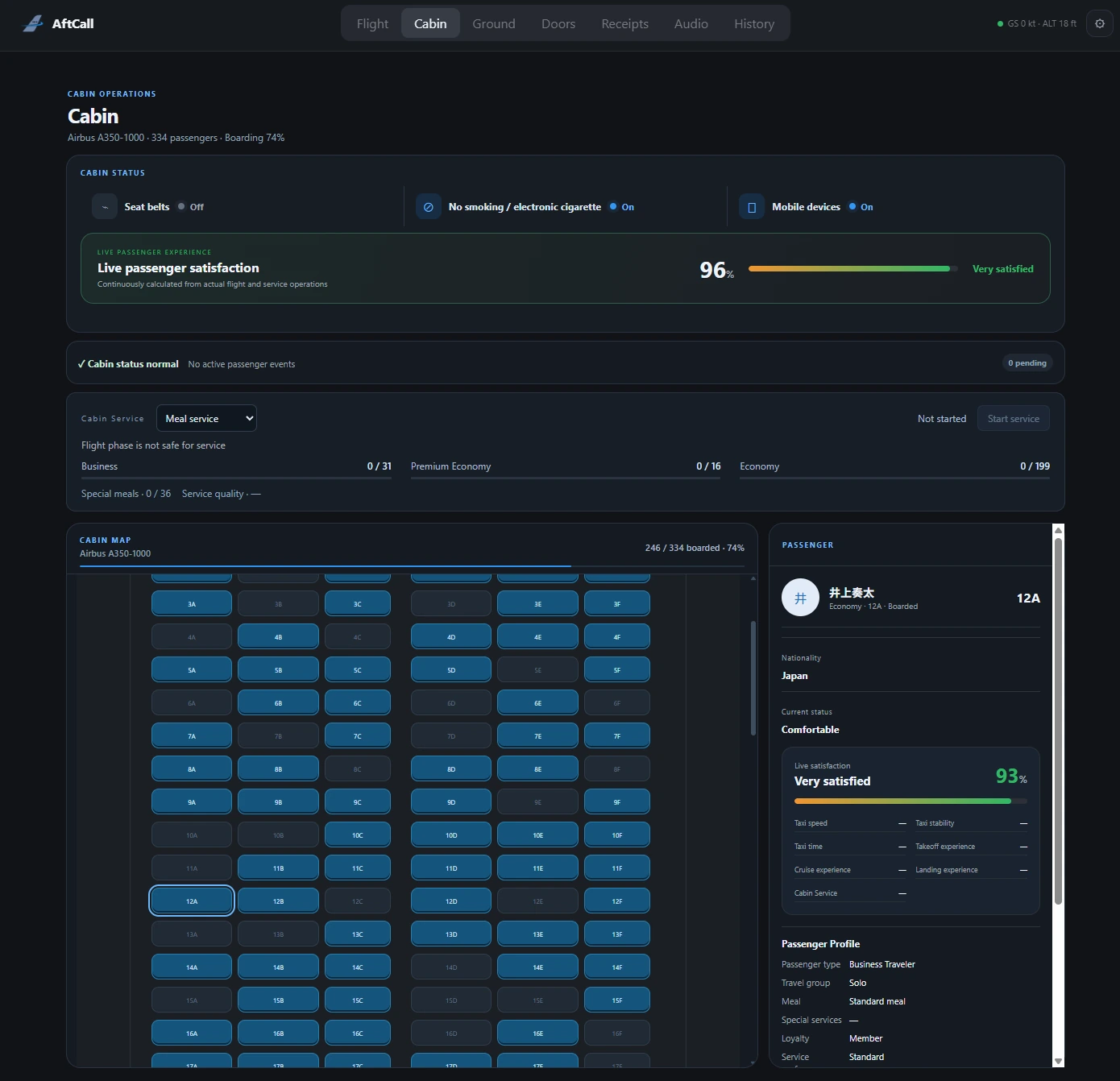
BOARDING-AWARE CABIN
Seat-level passenger context within the current flight session.
03 · PASSENGER EVENTS
Cabin situations become contextual workflows.
Passenger calls and situations can appear as the flight evolves. AftCall provides a focused workflow for reviewing the simulated passenger context, understanding the issue, and recording an appropriate response.
SUPPORTED EVENT CATEGORIES MAY INCLUDE- Passenger call
- Seat change
- Meal issue
- Feeling unwell
- Seatbelt non-compliance
- Anxiety
- Lost item
- Medical event
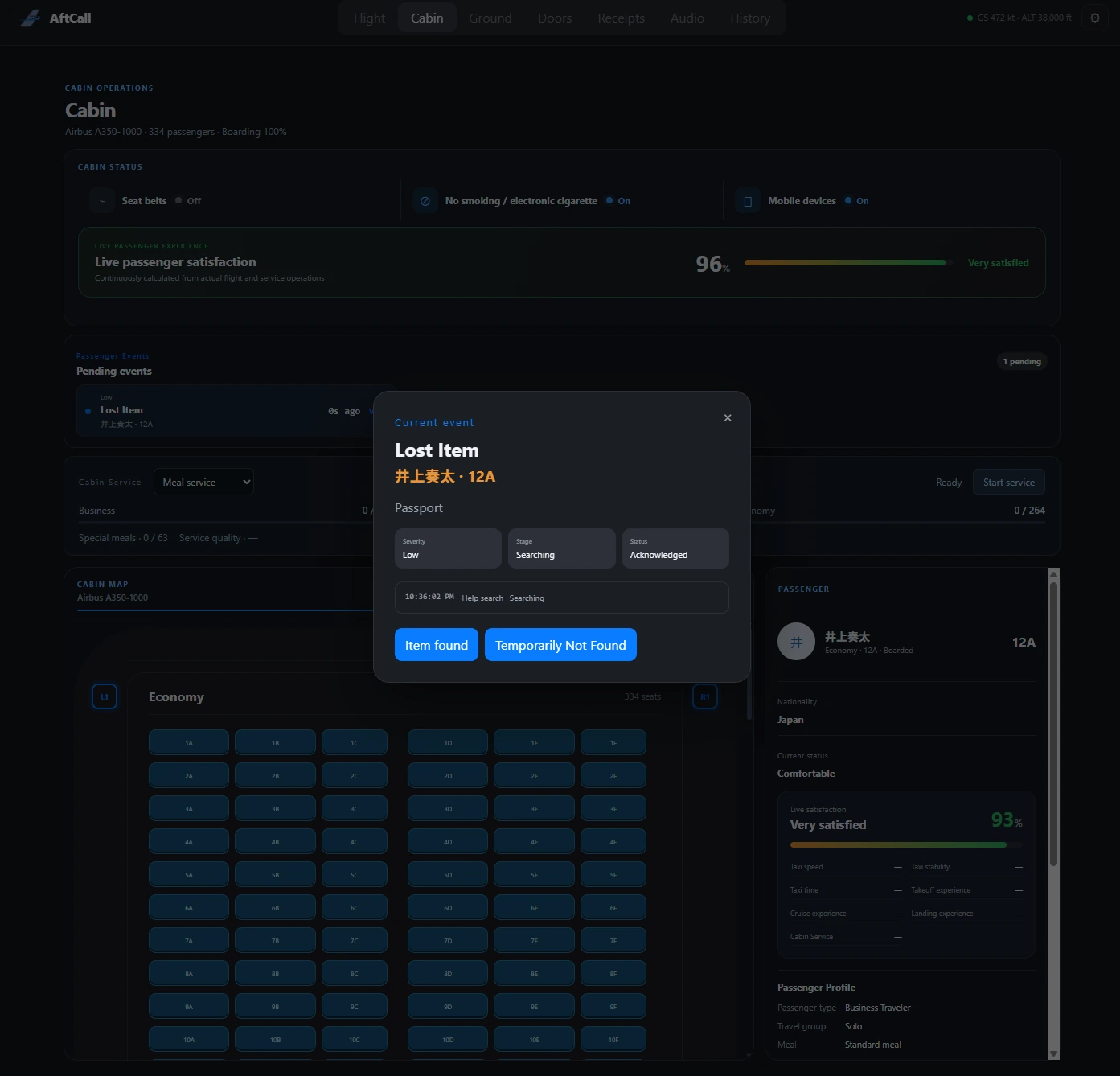
PASSENGER EVENT WORKFLOW
A real AftCall event view, shown without internal testing controls.
04 · CABIN SERVICE
Structured service across the cabin.
AftCall supports meal, beverage, tray-collection, and cabin-check workflows with cabin and passenger context where available.
Cabin Service is presented conservatively while live-flight validation continues. It is not a complete airline catering simulation and does not use airline-specific menu databases or real-world catering data.- 01PREPARECabin and passenger context
- 02SERVEMeal and beverage workflows
- 03COLLECTTray collection
- 04CHECKCabin follow-up
05 · AIRCRAFT OPERATIONS
Keep supported aircraft-side activity in view.
AftCall displays reported passenger and cargo door state, synchronizes that state with the live simulator, and provides door controls where the active aircraft exposes supported data and commands.
Aircraft-specific functionality depends on supported integrations. Aircraft do not all expose identical doors, data, or controls.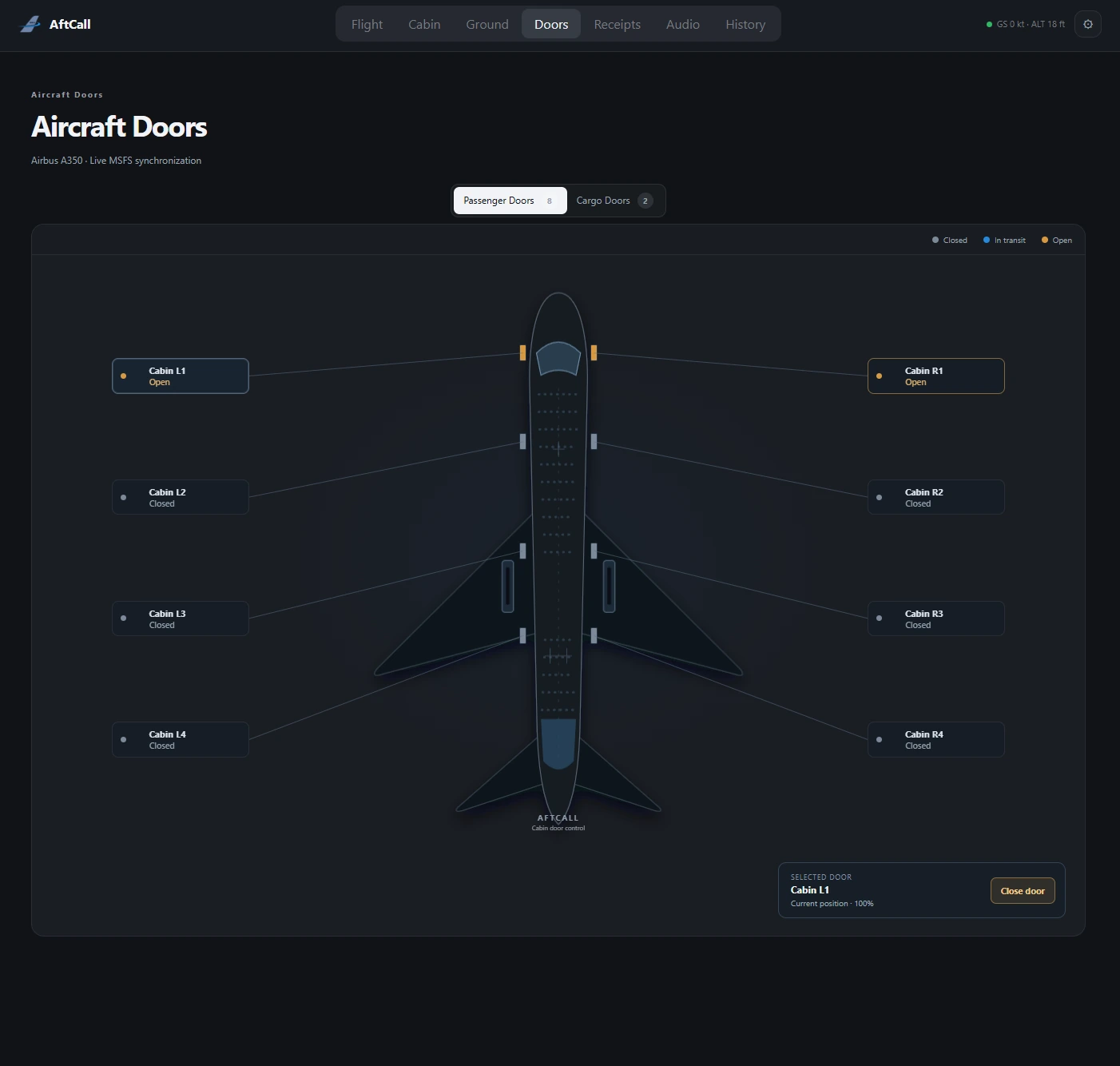
LIVE DOOR OPERATIONS
Reported passenger and cargo door state for a supported aircraft.
06 · GROUND OPERATIONS
A supported path into the turnaround.
When GSX Pro is installed, AftCall can present GSX connection and service status and expose supported menu/control paths for ground-service activity such as boarding, baggage, catering, fuel, stairs, or pushback when those options are available.
GSX Pro is optional and is required only for GSX-related features. Available actions depend on the current GSX state, aircraft, and integration.07 · CONTINUITY AFTER THE CABIN
Audio and records remain part of the session.
Announcements
Import, organize, and play user-provided local cabin audio through AftCall. The current system does not provide text-to-speech, automatic airline detection, automatic sequencing, or a cloud audio library.
Operational record
Keep local flight identity, route, aircraft, flight times, distance, telemetry summaries, milestones, and supported event or service history. AftCall does not promise permanent archival storage.
08 · CONNECTED ECOSYSTEM
Clear roles. One connected flight.
The core experience uses MSFS 2024 and SimConnect. SimBrief supplies flight-plan context, while GSX Pro adds optional supported ground-service functionality.
Microsoft Flight Simulator 2024
The simulation environment for the active flight.
SimConnect
Live aircraft and flight data connection.
SimBrief
Route and schedule context loaded into the session.
GSX Pro
Supported ground-service status and control paths.
COMPATIBILITY / REQUIREMENTS
Built for a connected MSFS workflow.
- Platform
- Windows desktop application
- Simulator
- Microsoft Flight Simulator 2024
- Connection
- SimConnect for live simulator data
- Flight plan
- SimBrief Alias or Pilot ID for flight-plan context
- Optional integration
- GSX Pro for GSX-related functionality
- Aircraft features
- Aircraft-specific functionality depends on supported integrations
A PRODUCT BY ONRADIAL
AftCall
Cabin Operations Console
Extend the flight into the cabin, across supported turnaround activity, and into the operational record.
Public distribution details are being prepared. No download artifact is offered on this prototype page.